Start with a Mixer File — or Just a Rider.
Import an existing console project, or turn a Technical Rider, PDF or channel list into an organised Workspace. Edit the project and export it for a supported mixer.
Works in the browser. Nothing to install. Your original file is never modified.
Two Starting Paths. One Workspace.
Convert an Existing Mixer Project
Import supported names, channel data and processing from an existing mixer project.
Build a Project from a Rider
Turn a rider or simple channel list into an organised mixer project, then edit and export it.
From any source file to any target console.
A single connected workflow — every step is real MixersHub UI.
Choose Your Starting Point
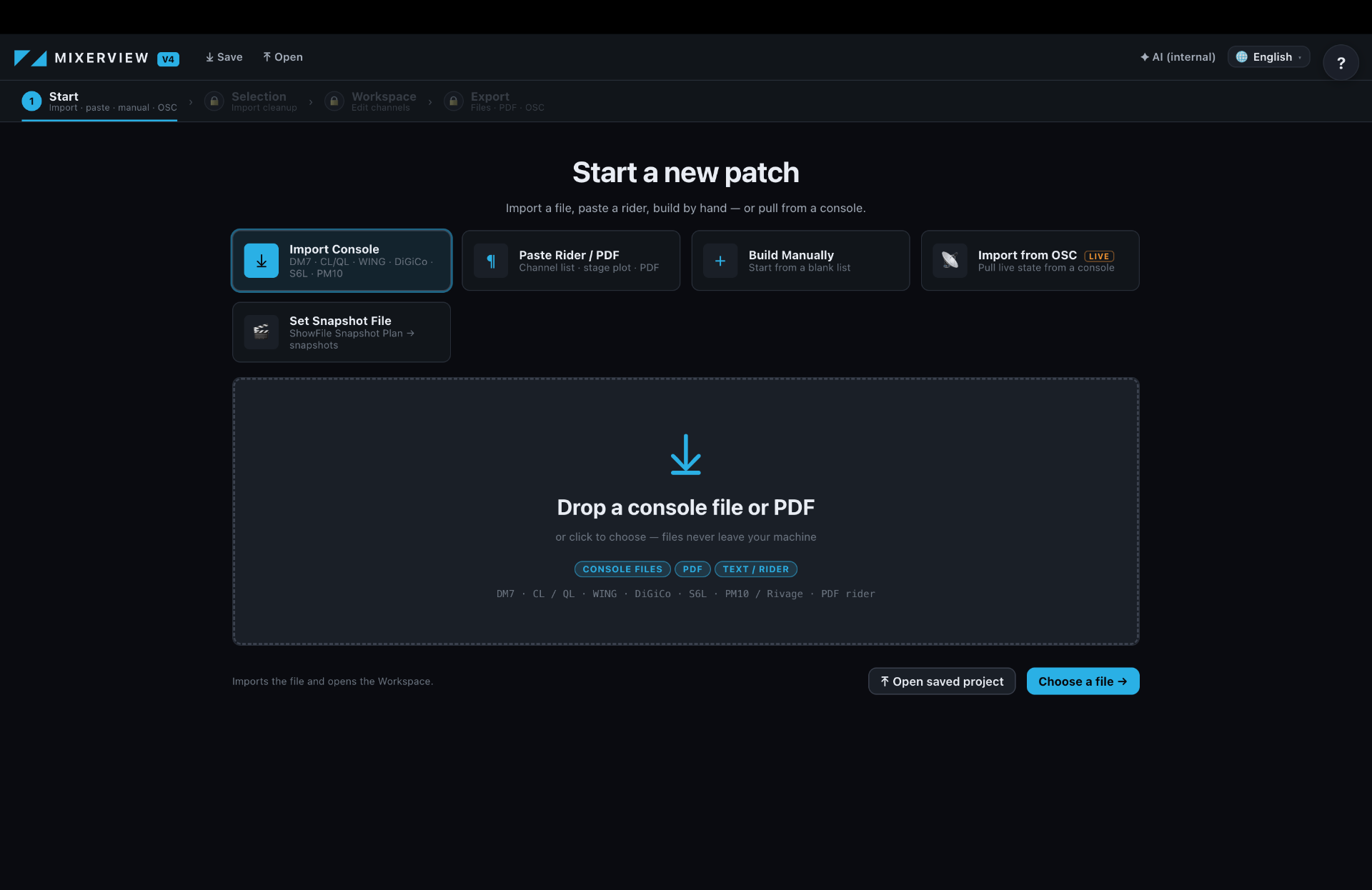
Import an existing mixer file, upload a Technical Rider or PDF, paste an Input List, or build the channel list manually.
Import a Mixer File
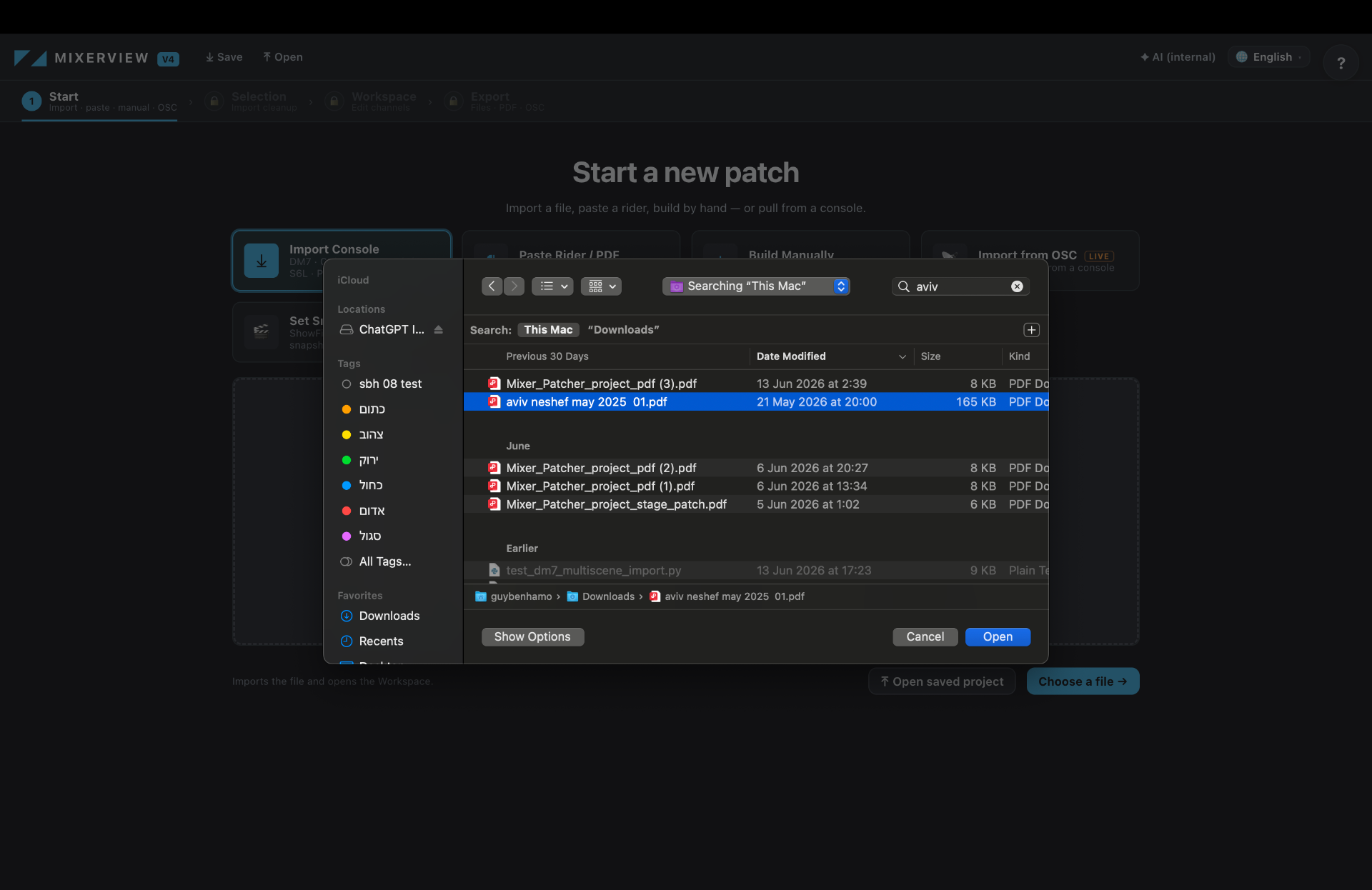
Upload a supported native console project — DM7, CL/QL, WING, DiGiCo, S6L, PM10 / Rivage.
Import a Technical Rider
Upload a PDF Technical Rider or input list. MixersHub parses it into a real Workspace.
Workspace from a Mixer File
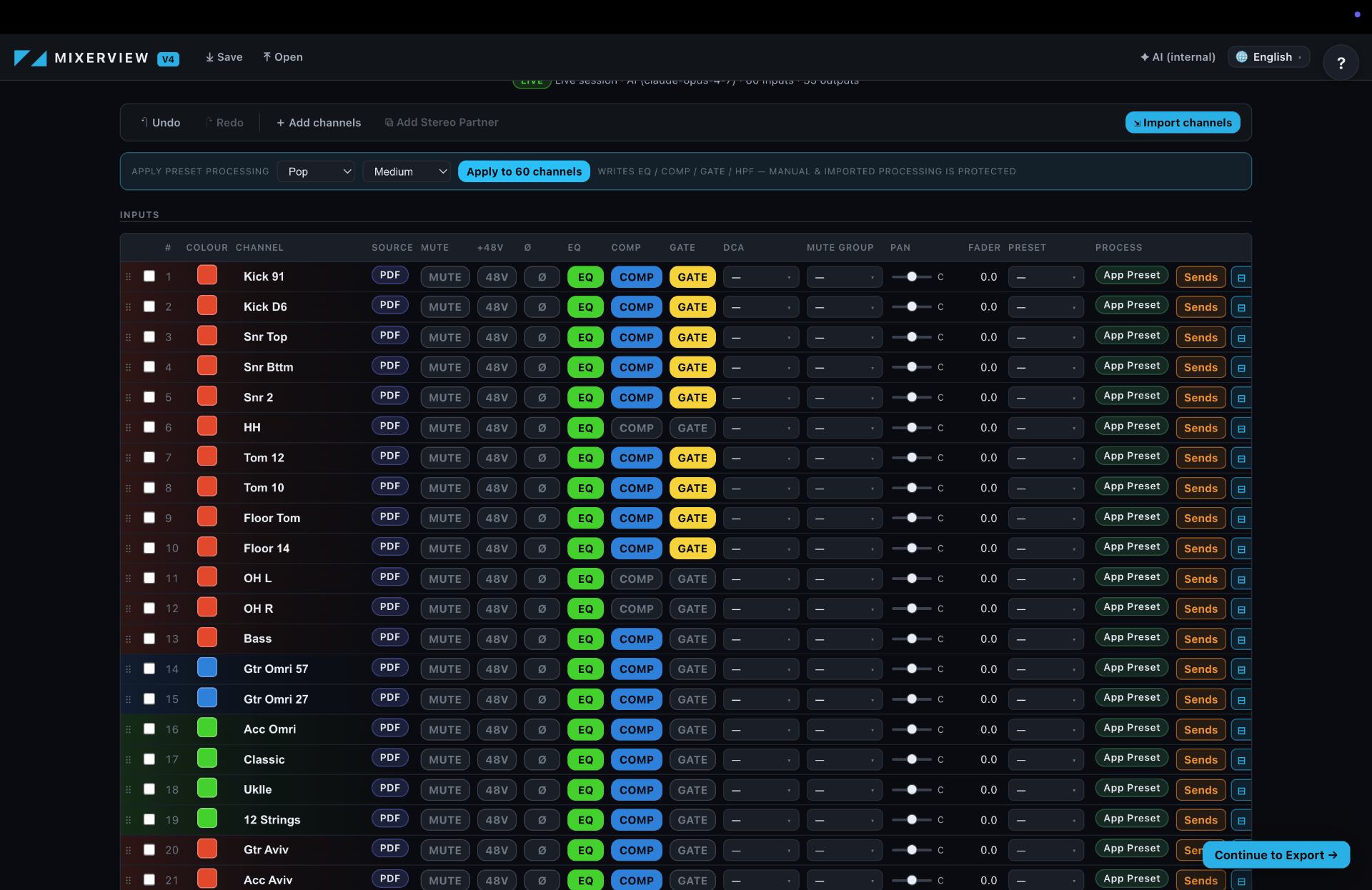
Supported channel data and processing (EQ, Comp, Gate, HPF) are recovered from the source file.
Workspace from a Technical Rider
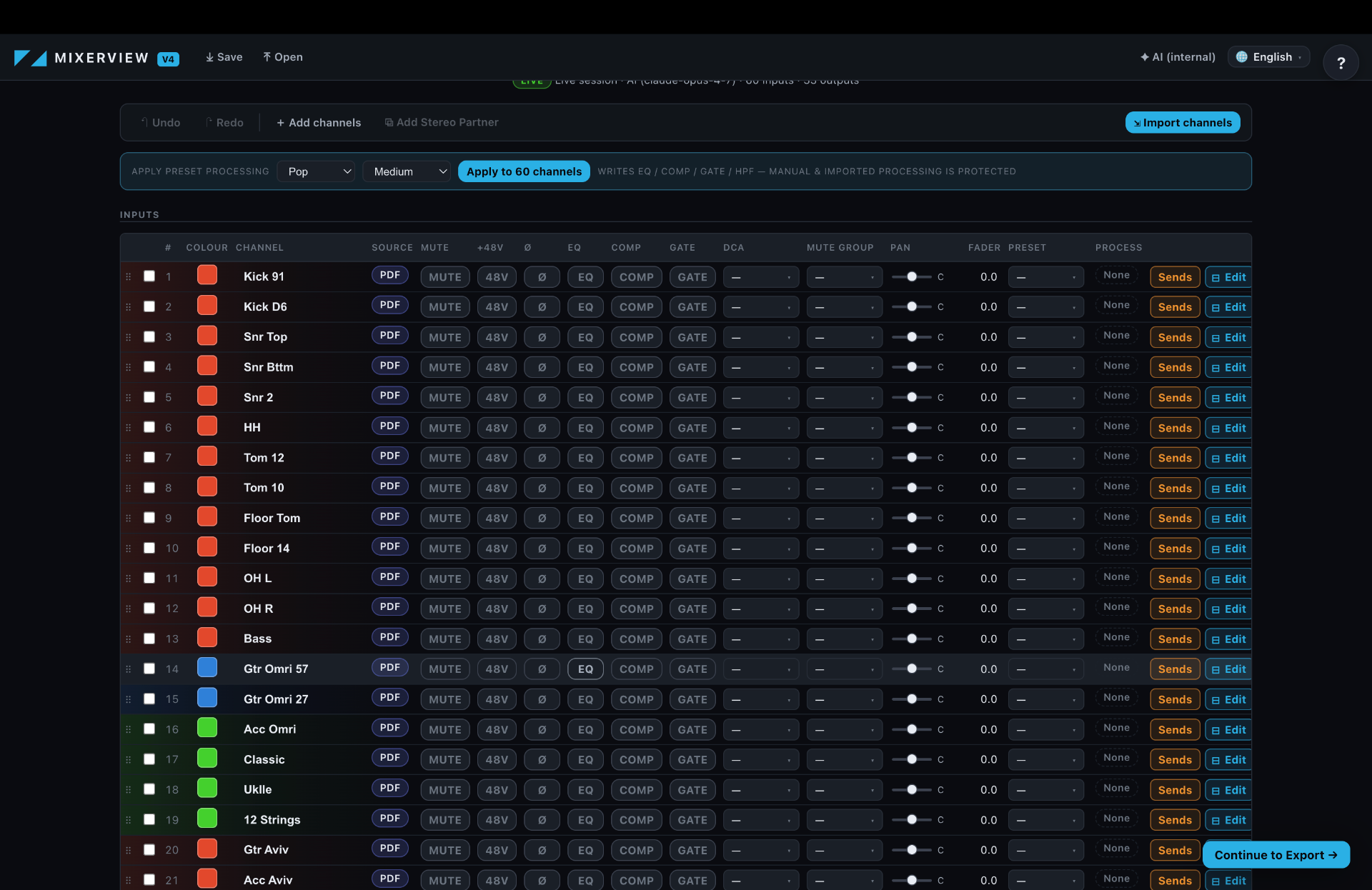
The rider becomes an organised channel Workspace, ready for you to add processing.
Import Channel from File
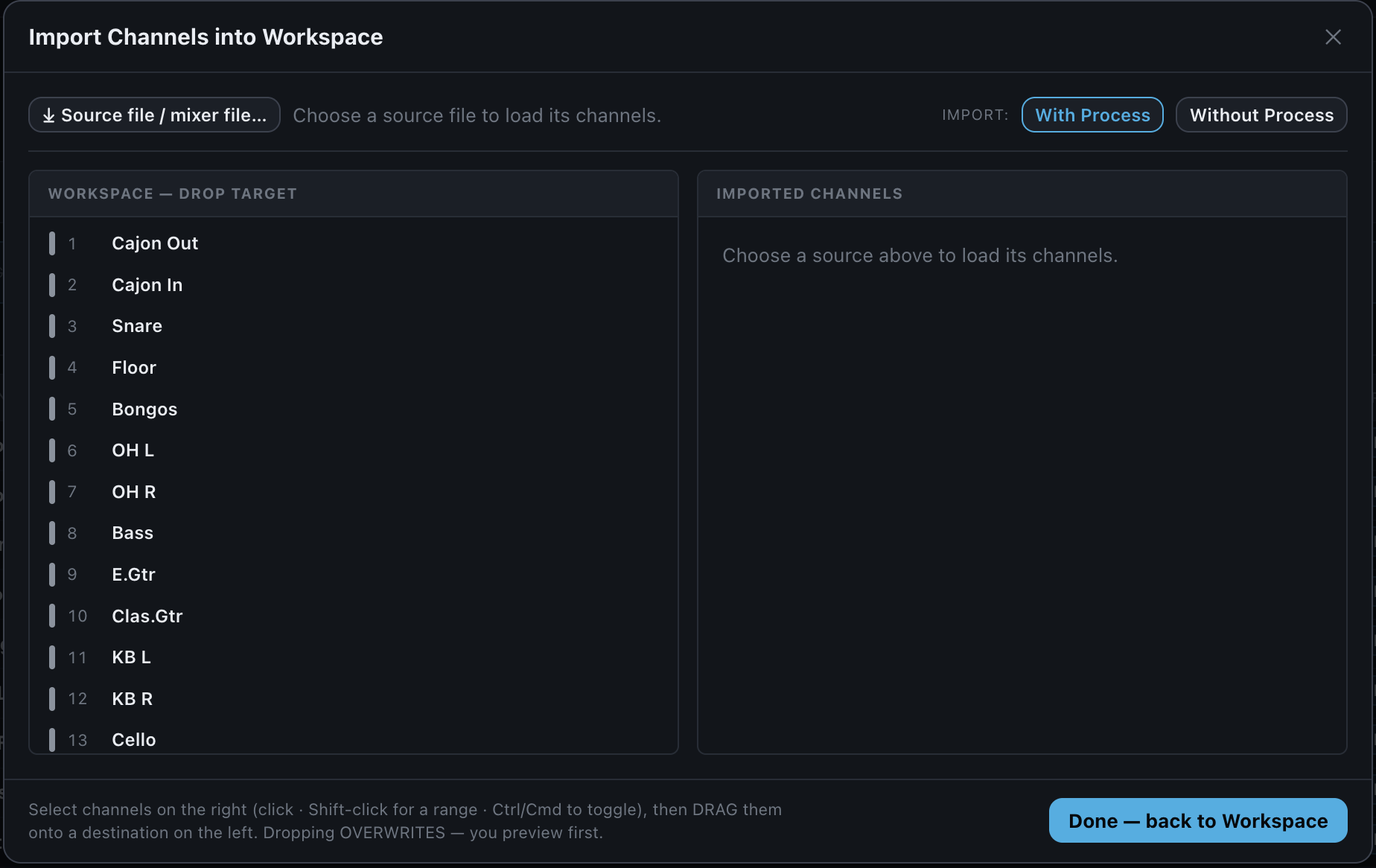
Open the Import Channel from File window from the Workspace.
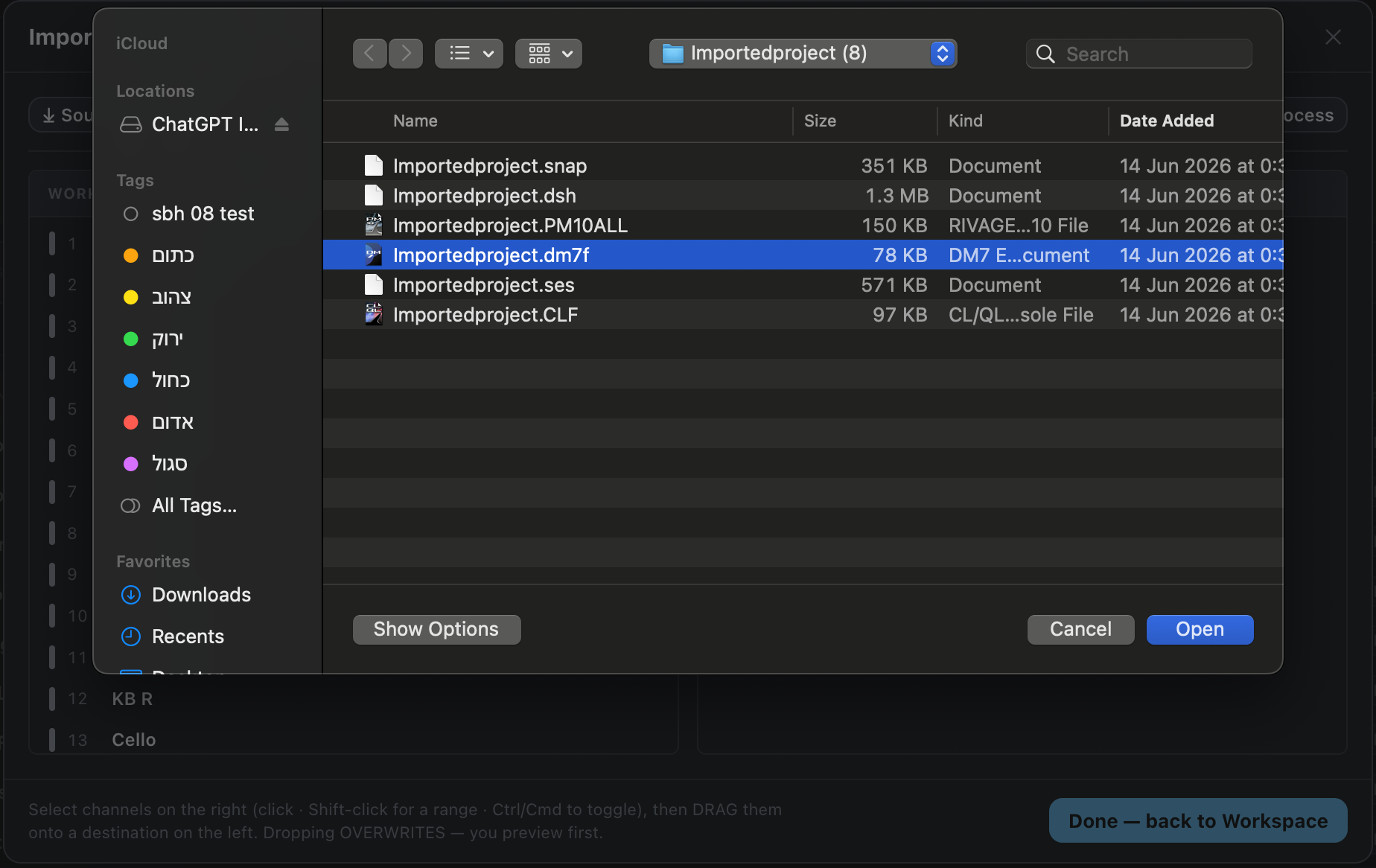
Select the mixer file that contains the channel or channels you want to import.
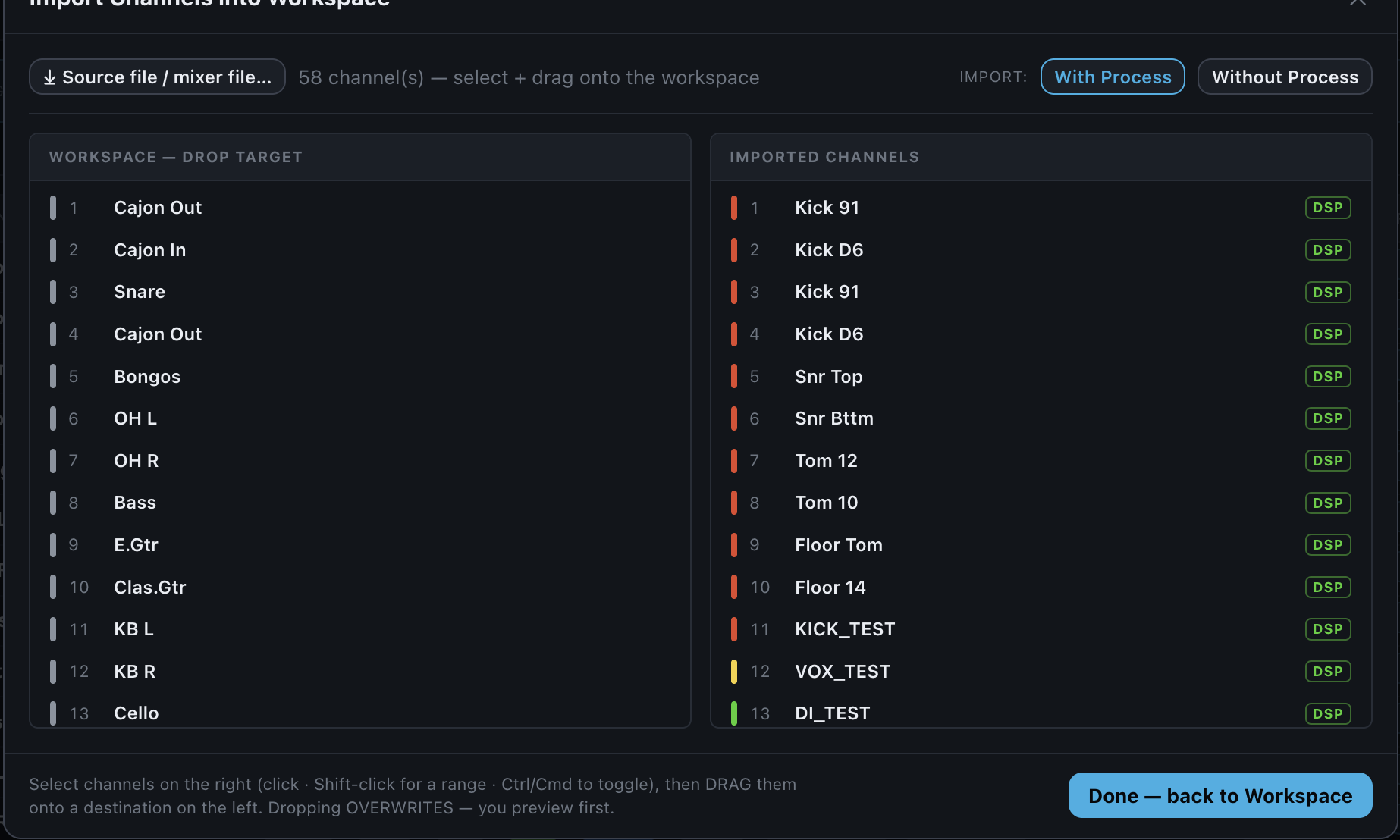
Select one channel, multiple individual channels, or a channel range, then drag them into the required position in the Workspace.
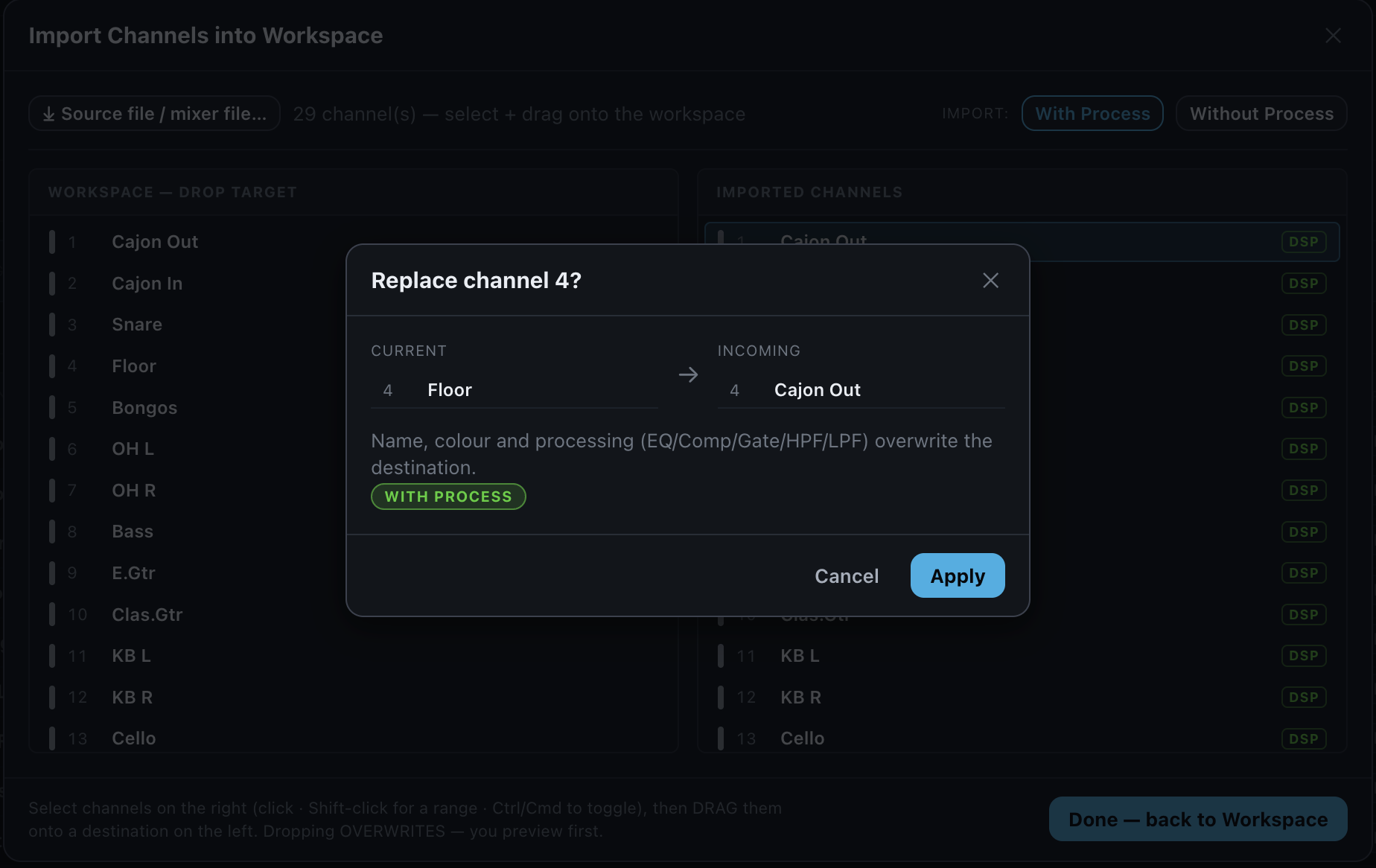
Apply the selected channel data to the Workspace or replace an existing channel while preserving the intended position.
Bring channels in from another mixer file directly into your Workspace.
Channel View
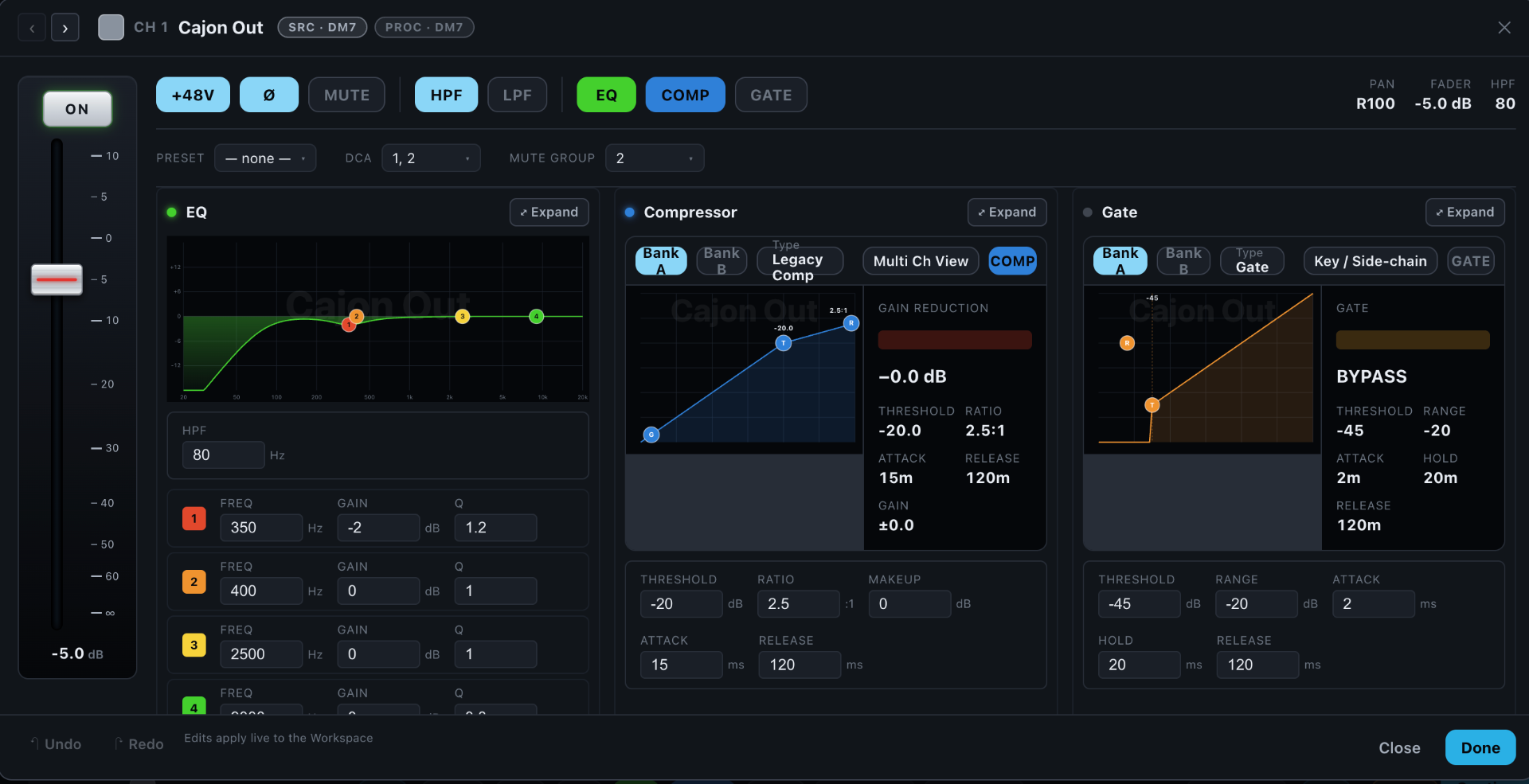
Open any channel to inspect and edit its full processing chain: HPF, EQ, compressor, gate, fader, pan and phantom power.
Edit Sends
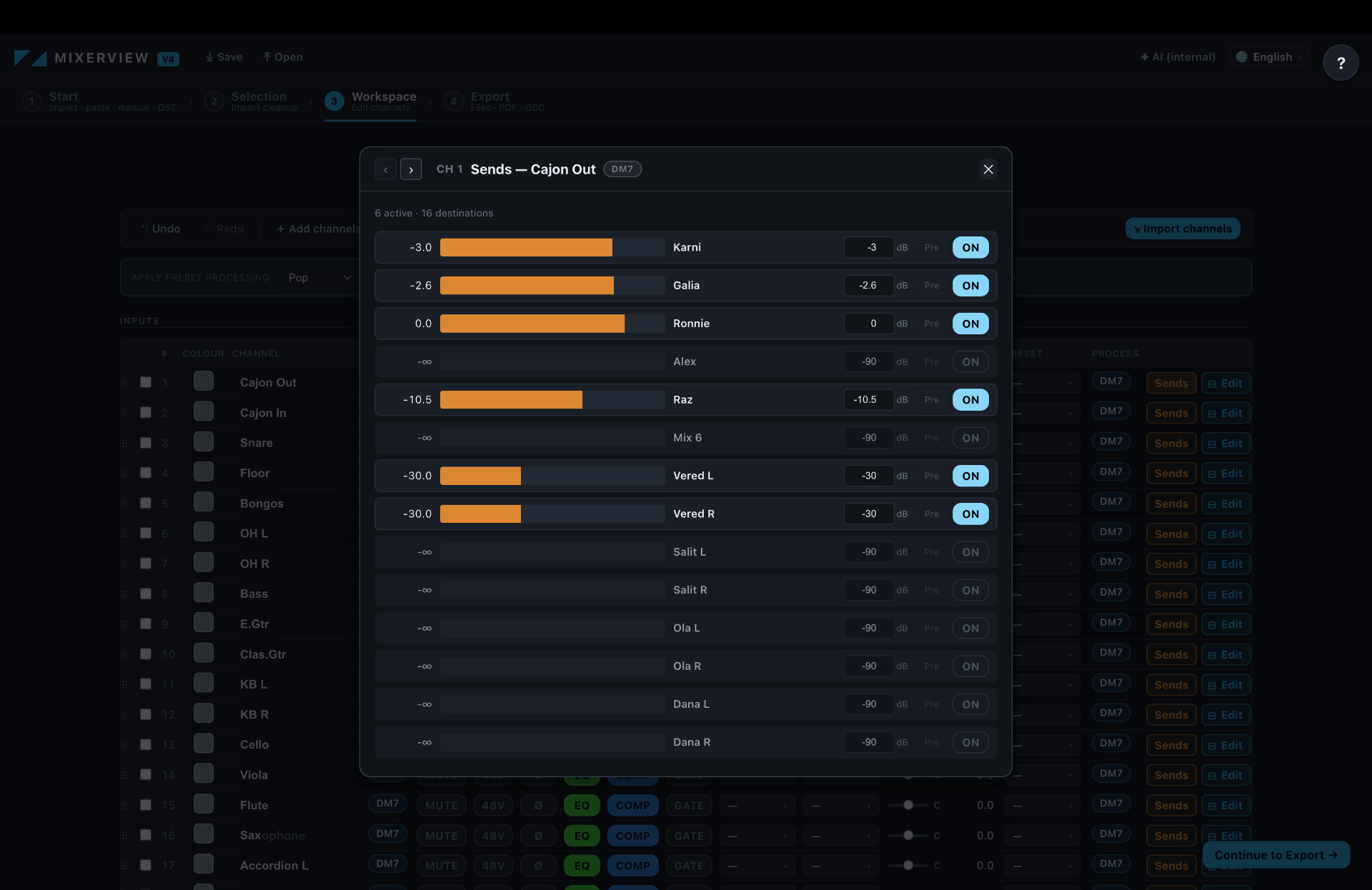
Tweak every send level, pre/post point and destination for the selected channel. MixersHub updates the routing in the target export.
Export to the Target Console
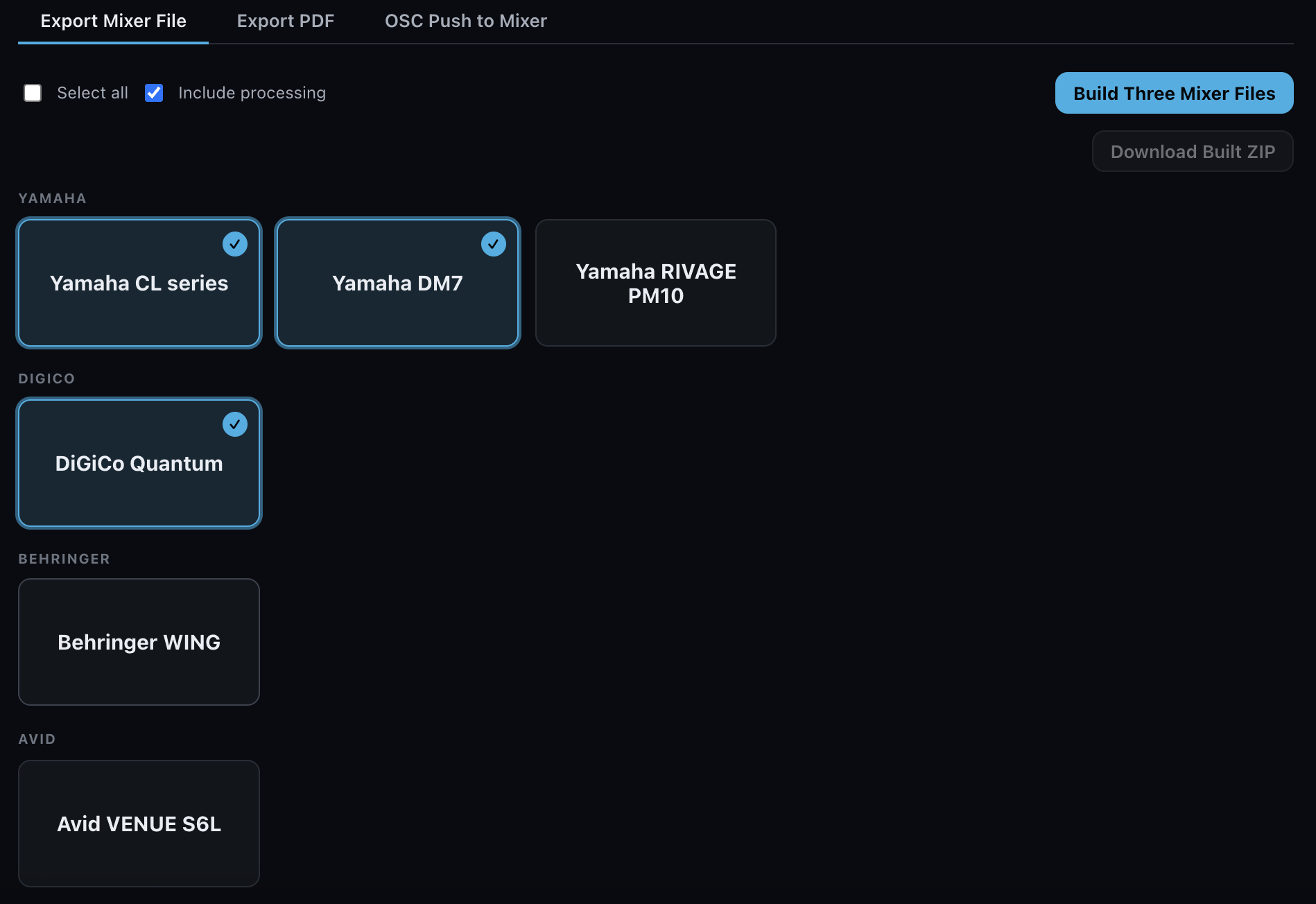
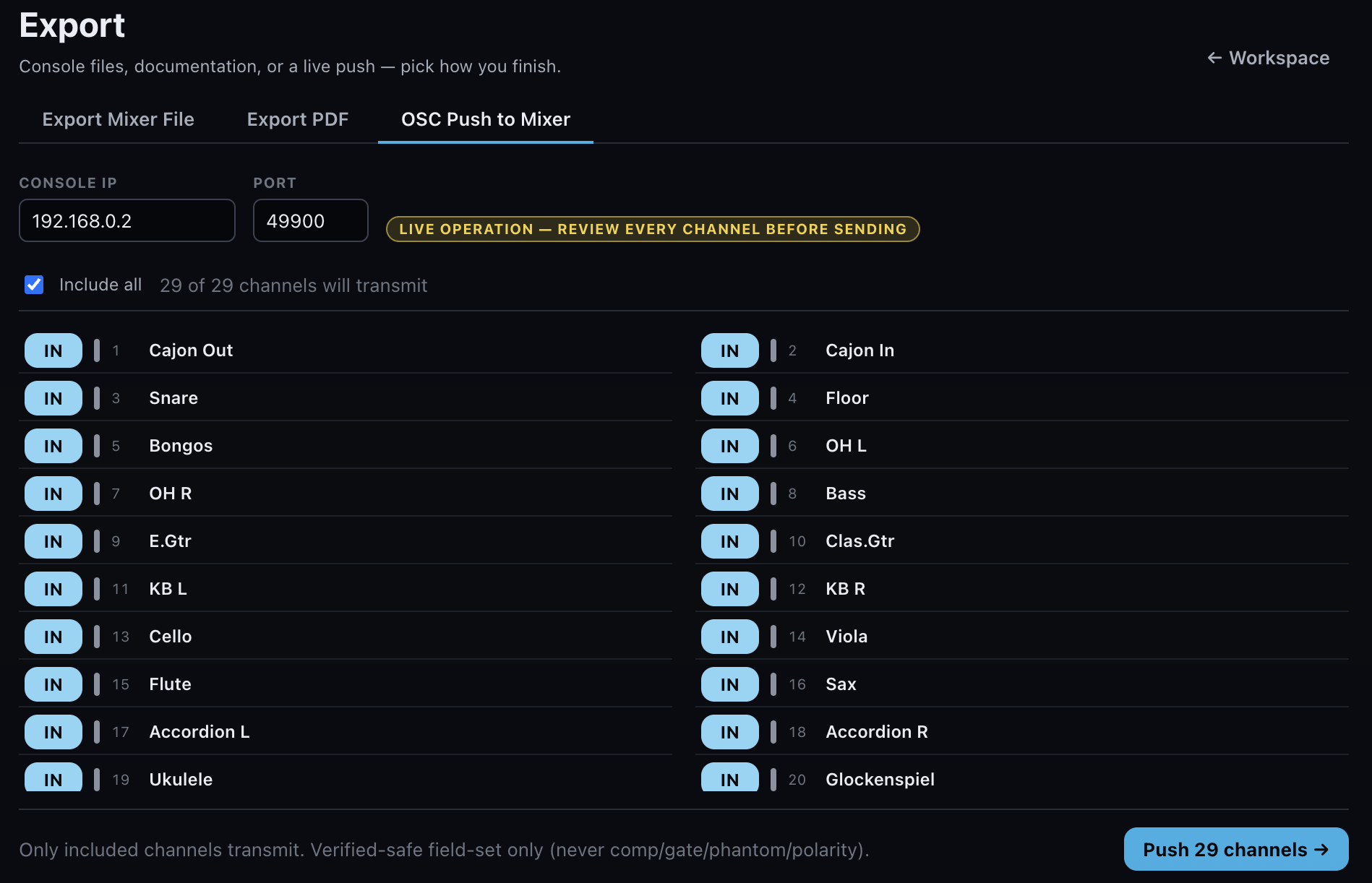
Export a native mixer file or push the show live to the console over OSC.
From Technical Rider to Mixer File
Starting a new production without a prepared console file? Upload a Technical Rider, PDF or Input List. MixersHub builds an organised channel Workspace that you can review, edit and export for a supported console.
Built around the consoles you already run.
| Capability | Yamaha Yamaha DM7 | Behringer Behringer WING | Avid Avid S6L | DiGiCo DiGiCo |
|---|---|---|---|---|
| Import mixer file | ✓ | ✓ | ✓ | ◐ |
| Export mixer file | ✓ | ✓ | ✓ | ✓ |
| Channel names | ✓ | ✓ | ✓ | ✓ |
| Channel colours | ✓ | ✓ | ✓ | — |
| Stereo / Link | ✓ | ◐ | ◐ | ◐ |
| Channel On / Mute | ✓ | ✓ | ✓ | ✓ |
| Fader | ✓ | ✓ | ✓ | ✓ |
| Pan | ✓ | ✓ | ◐ | ✓ |
| Phantom 48V | ✓ | ✕ | ✓ | — |
| Polarity | ✓ | ✓ | ✓ | ✓ |
| HPF On/Off | ◐ | ✓ | ◐ | ✓ |
| HPF Frequency | ◐ | ◐ | ✓ | ✓ |
| LPF | ◐ | ◐ | ◐ | ✓ |
| EQ | ◐ | ✓ | ✓ | ✓ |
| Compressor | ✓ | ✓ | ✓ | ◐ |
| Gate | ✓ | ✓ | ✓ | ✓ |
| Sends — Level / On / Dest. | ✓ | ✓ | ◐ | ◐ |
| DCA / VCA assignment | ◐ | ✕ | ◐ | ✓ |
| Mute Groups | ✓ | ✓ | ✕ | ✕ |
| Scenes / Snapshots | ✕ | ✕ | ✕ | ✕ |
Most complete today for Import and Export. Channels, processing, sends, stereo and mute groups all work. Parts of EQ, HPF and DCA are still marked Beta / Partial.
Most channel data and processing work, including Sends. Stereo still needs care in some scenarios. Phantom and DCA are not written at this time.
Names, colours, fader, mute, phantom, polarity, HPF, EQ, compressor and gate all work. Pan is full; Sends and VCA are under validation. Gain and IN Enable are not supported yet.
The system already reads and writes names, processing, sends, stereo and routing across known families. There is a current import issue with large vM/vN show files: the file is recognised but sometimes falls back to a names-only path, so Processing, Sends and Stereo don't appear. A fix is in progress. Colours are not applicable for DiGiCo in the product, and Gain is out of scope.
Support varies by console model, file version and data type. Review the compatibility guide before production use.
Your Entire Project in One Place
Availability depends on the source and target console.
*Where applicable.
Now in Beta
MixersHub is under active development. Beta users help us test real projects, improve compatibility and expand console support.
Open the BetaYour original files stay untouched.
No file modification
Original console files are never altered.
A new export file
MixersHub always creates a separate target file.
Review the export report
Every conversion produces a clear supported/unsupported summary.
Verify before showtime
Confirm generated files in the official offline editor before use on a real console.